Arik Korotetski
All projects

Auto3P

Automotive Claims SaaS · Features

Feature design for Auto3P — an automotive claims platform used by insurers, repair shops, and assessors. I designed specific features (Audit, Third‑Party Report, Agreement, Converter) and every icon and text style inside them.

SaaSB2BAutomotiveInsuranceFeature Design

Client

Auto3P

Role

Product Designer · Feature-level scope

Platform

Web · SaaS dashboard

ToolsFigmaFigJamNotionMicrosoft Teams
Introduction

The project

Auto3P is a claims and repair‑management SaaS used by insurers, claim services, repair shops, assessors, and vehicle owners to move a damaged vehicle from event → estimate → agreement → repair. My work covers new features designed into that existing product — most notably the Audit flow, where insurers and repair shops reconcile a repair estimate against the previous version and the Auto3P catalog of part prices and labor times.

01

Project goal

Give every party in a claim (insurer, claim service, assessor, repair shop, vehicle owner) a single screen where they can see what changed on an estimate, why it changed, and approve or reject those changes without leaving the platform.

02

The problem

01

Estimate changes were buried in dense tables — users couldn't tell what actually moved between versions.

02

There was no built‑in comparison against Auto3P's catalog prices and standard labor times, so overcharges slipped through.

03

The approval loop was ambiguous: no clear reject path, no way to leave a comment on a specific change.

04

Third‑party reporting lived on one long form with 40+ fields, easy to miss or duplicate involved parties.

03

The solution

01A side‑by‑side Audit view: Initial price · Price quote · Audit · Approved, with additions, removals and price deltas highlighted per line.

02Automatic validation against the Auto3P parts catalog and standard labor times, flagging items that exceed benchmarks.

03A clear Approve / Reject workflow with per‑item comments, plus a 'changes report' that goes back to the repair shop.

04A Third‑Party Report flow split into Details → Involved (max 2) → Images → Preview, so nothing gets lost.

04

Research & discovery

  • Introduction sessions with Oren (product owner) and Hanan to map the existing Chile Audit implementation.
  • Walked through the legacy Horizon (Chile) Audit tab end‑to‑end, cataloguing every column, action, and edge case.
  • Q&A rounds with Rimon covering initial price sourcing, appraiser vs. insurer estimates, and merge rules.
  • Studied Third‑Party Report analytics: ~30% of claims involve a third party, capped at 2 involved parties.
  • Aligned the vocabulary from 'issues' to 'conflicts' after direct input from stakeholders.
05

Personas

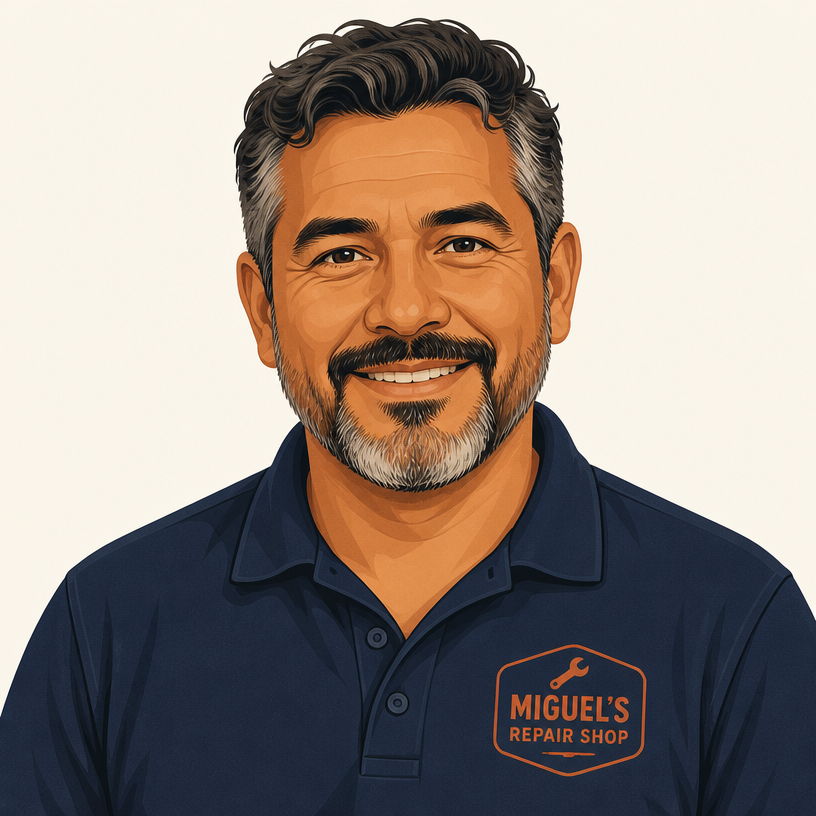
Miguel

Miguel, 47

Repair Shop Owner

I don't mind them auditing my numbers — I just want to see exactly what they changed and why, on one screen.

Goals

  • · Get estimates approved without weeks of email back‑and‑forth
  • · See catalog benchmarks up front so my numbers land inside the rules
  • · Respond to a rejected line item with one comment, not a phone call

Pain points

  • · Estimate diffs hidden across multiple tabs
  • · No clear signal when a line exceeds catalog values
  • · Ambiguous approval status — 'is this approved or not?'

Sofia

Sofia, 38

Insurance Claims Agent

I need the deltas at a glance. Show me what changed against the last estimate and against the catalog — everything else is noise.

Goals

  • · Spot overcharges and mistakes fast, on one screen
  • · Approve or reject specific line items, not the whole estimate
  • · Leave a comment when I reject something so the shop knows why

Pain points

  • · Comparing estimates line by line in disconnected views
  • · No standard reference for part prices or labor times
  • · Slow, opaque negotiation loop with repair shops
06

User flow

Reconciliation loop

  1. 01
    Repair shopNew estimate

    Repair shop submits a new estimate on the Auto3P claim

  2. 02
    Auto3P engineDiff + catalog

    System diffs it against the previous estimate and the Auto3P catalog

  3. 03
    InsurerAudit view

    Insurer / claim service opens the Audit view — deltas and flags highlighted

  4. 04
    InsurerApprove · Reject · Comment

    Reviewer approves, rejects, or comments on specific line items

  5. 05
    Auto3P → ShopChanges report

    A changes report is sent back to the repair shop; loop repeats until agreed
↺ Loop repeats until agreed

07 · UI Phase

Final design

Cluster 01 · Audit flow

Reconcile an estimate in one screen

Insurers and repair shops used to email back and forth across five tabs to agree on a single line item. The Audit view shows every delta between versions — priced against the Auto3P catalog — with approve, reject, and per-item comments in place.

Audit · Side‑by‑side view of Initial price, Price quote, Audit and Approved — every delta highlighted per line.
Audit · Line‑level review with catalog benchmarks — overcharges and out‑of‑range labor times flagged automatically.
Audit · Approve, reject or comment on a specific line without leaving the estimate.
Audit · Conflicts summary — filtered to just the items that actually moved between versions.
Audit · Changes report ready to send back to the repair shop, closing the negotiation loop in one screen.

Cluster 02 · Editing & Agreement

Edit with the rulebook visible

Line-level edits and rate changes never leave the audited context. The catalog reference sits next to the field, so the person editing always knows why a number is inside or outside the rules.

Editing an audited part — inline edit with the catalog reference right next to the field.
Agreement · Editing labor and part rates with the audit rules visible in context.

Cluster 03 · Converter & Third-Party Report

Supporting tools that carry the flow

A quick currency converter for cross-border claims, and a Third-Party Report flow split into Details → Involved (max 2) → Preview — so a 40-field wall becomes three calm steps.

Currency Converter widget — quick FX inside a claim so cross‑border estimates don't require a second tool.
Third‑Party Report · Guided event details — no more 40‑field wall of inputs.
Third‑Party Report · Involved parties (max 2) and preview — everything captured, nothing duplicated.

What this is designed to move

Target impact

Designed intent, not measured results. Each tile is an outcome the design is built to move — the number reflects the target the flow is shaped around, not a production analytic.

5 → 1

Screens to reconcile a disputed estimate

A week of back-and-forth email between insurer, appraiser and repair shop is designed to collapse into a single side-by-side approval view.

3 steps

Third-Party Report becomes a guided flow

Details → Involved → Preview. A 40-field wall breaks into three calm steps so filing a report stops being the reason claims stall.

5 roles

Stakeholders unified in one loop

Insurer, appraiser, repair shop, driver and claim service work off the same audited estimate — the design targets one source of truth per claim.

The hard part

Key decision

Show all four estimate states side‑by‑side — Initial price · Price quote · Audit · Approved — rather than a single summarised view with the history tucked behind a toggle.

What it cost

A much denser screen than the rest of the platform, and a harder first glance for anyone opening an estimate casually.

Why it was worth it

The job these users are actually doing is reconciling what changed and defending it to the other side. A summary hides exactly the information the negotiation runs on. I kept the density and added a conflicts filter, so the screen can collapse to just the lines that actually moved when someone needs to scan instead of argue.

08 · Impact

Outcome & impact

The features are shipping into the live Auto3P product across the LATAM claims network — Chile first, with Colombia and Mexico staged behind it. The Audit flow was prioritized after direct requests from Chilean insurers and repair shops, who were absorbing days of email friction on every disputed estimate: the region runs on high claim volume, tight margins, and a workforce that lives inside the platform all day, so a five‑tab reconciliation was a real operational cost, not a nice‑to‑have. Early stakeholder reviews with insurers, appraisers, and repair shops confirmed the Audit flow collapses that back‑and‑forth into a single side‑by‑side approval screen — and Third‑Party Report replaces a scattered, form‑heavy screen with a guided event → involved‑party → preview flow that respects the market's real 2‑party cap. Vocabulary was localized end‑to‑end from Spanish‑speaking users' own words (“conflicts,” not “issues”), which the product owner and PM cited as the moment the UI stopped feeling foreign to the people actually using it.

Lessons learned

  • Designing features inside an existing product is less about visual polish and more about respecting the platform's language while gently upgrading it.
  • For a claims audit, showing the diff (previous vs. current estimate, plus catalog benchmarks) mattered more than any dashboard chart.
  • Talking directly to the repair‑shop owners and insurance side surfaced conflicts (not 'issues') as the real object of the workflow — that single word reshaped the UI.

Keep exploring

Previous project
FleetXpress

FleetXpress

Fleet Management Dashboard

Next project

DishRanks

TBD

Dish Discovery Web App

DishRanksTBD